
Illustration, not a photograph. Official product imagery pending.
Synology DiskStation DS923+ 4-Bay NAS Enclosure
In stock
Network attached storage. Drive bays: 4 x 3.5 inch SATA, diskless.
Direct answer: is the Synology DiskStation DS923+ 4-Bay NAS Enclosure right for you?
Four bays and ECC memory are the two things that separate this from the two-bay units, and ECC is the one that matters for a machine holding the only copy of anything.
Synology DiskStation DS923+ 4-Bay NAS Enclosure
Editorial verdict
Grounded in published specifications
Summary verdict: Four bays and ECC memory are the two things that separate this from the two-bay units, and ECC is the one that matters for a machine holding the only copy of anything. The Ryzen R1600 has no integrated graphics at all, so there is no hardware transcoding of any kind -- for media serving this is a step down from the Celeron models, not up. A 10 GbE card fits the expansion slot, which is the upgrade path the two-bay units do not have.
Who should buy this
Offices needing four bays, ECC memory and a route to 10 GbE later.
Who should avoid this
Media servers relying on hardware transcoding, which this processor cannot do at all.
Key strengths
- ECC memory, expandable to 32 GB
- Optional 10 GbE expansion card
- Four bays allows RAID 5, and RAID 6 for two-drive redundancy
Limitations
- No integrated graphics, so no hardware transcoding whatsoever
- Diskless, and four NAS drives cost more than the enclosure
- Cache slots use M.2 drives Synology increasingly restricts to its own
Technical specifications
- Type
- Network attached storage
- Brand
- Synology
- Memory
- 4 GB DDR4 ECC, expandable to 32 GB
- Capacity
- 4 bay
- Warranty
- 3-year limited warranty
- Model SKU
- DS923+
- Processor
- AMD Ryzen R1600 dual-core 2.6 GHz
- Drive bays
- 4 x 3.5 inch SATA, diskless
- RAID levels
- Basic, JBOD, RAID 0, 1, 5, 6 and 10
- Rated power
- About 32.7 W in access, 12.1 W at hibernation
- Network ports
- 2 x Gigabit Ethernet, 10 GbE via expansion card
- Expansion slots
- 2 x M.2 2280 NVMe for cache
- Annual energy use
- About 286 kWh a year running continuously, roughly $49 at $0.17 per kWh
Last updated
Product overview
Four bays and ECC memory are the two things that separate this from the two-bay units, and ECC is the one that matters for a machine holding the only copy of anything. The Ryzen R1600 has no integrated graphics at all, so there is no hardware transcoding of any kind -- for media serving this is a step down from the Celeron models, not up. A 10 GbE card fits the expansion slot, which is the upgrade path the two-bay units do not have.
Key capabilities
- Drive bays: 4 x 3.5 inch SATA, diskless
- Capacity: 4 bay
- Processor: AMD Ryzen R1600 dual-core 2.6 GHz
- Memory: 4 GB DDR4 ECC, expandable to 32 GB
Frequently asked questions
Is the Synology DiskStation DS923+ 4-Bay NAS Enclosure worth buying?
Four bays and ECC memory are the two things that separate this from the two-bay units, and ECC is the one that matters for a machine holding the only copy of anything.
What is the warranty and return policy for the Synology DiskStation DS923+ 4-Bay NAS Enclosure?
3-year limited warranty. Returns: 90-day returns on unused items.
Who is the Synology DiskStation DS923+ 4-Bay NAS Enclosure best suited for?
Offices needing four bays, ECC memory and a route to 10 GbE later.
Who should avoid the Synology DiskStation DS923+ 4-Bay NAS Enclosure?
Media servers relying on hardware transcoding, which this processor cannot do at all.
Goes with this
What the network attached storage needs alongside it.
- SeagateST8000VN004Representative
Seagate IronWolf 8TB NAS Hard Drive
Ships without drives, so the array needs its own disks.
$189.99
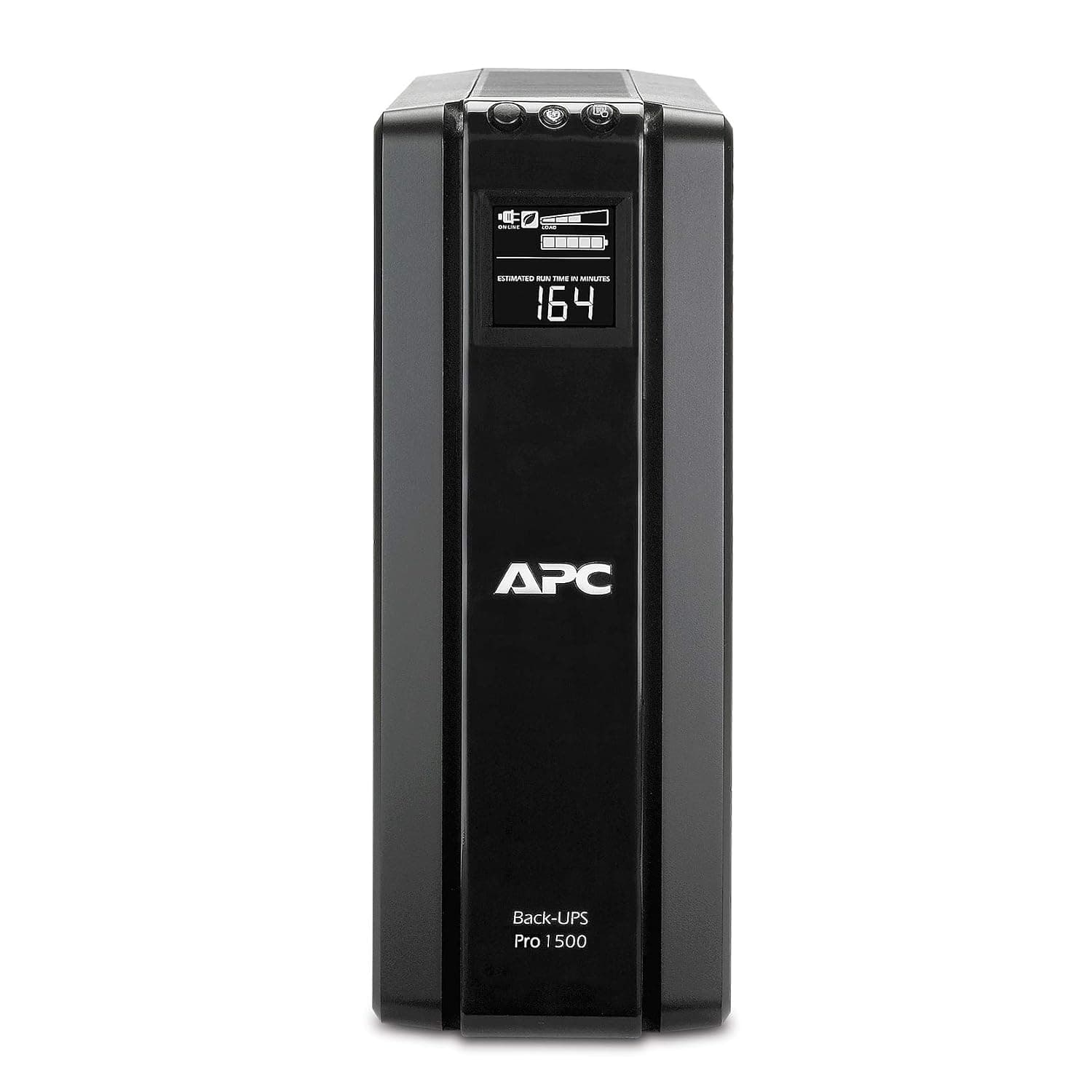
APC Back-UPS Pro 1500VA Battery Backup and Surge Protector
An always-on array should not lose power mid-write.
$229.99
APC Smart-UPS 1500VA LCD Tower UPS
An always-on array should not lose power mid-write.
$749.00
Suggested from recorded compatibility and product type, not from purchase history.
Sample reviews
3 reviewsThese are illustrative, not customer reviews.
DealSurge has not sold this product, so nobody has reviewed it. Each entry below is written from the strengths and drawbacks recorded on this page, to show how reviews would appear — none of it is a real buyer’s experience, and none of it is counted in search results or given to the shopping assistant.
Mean of 3 samples
- 5 ★1
- 4 ★1
- 3 ★1
- 2 ★0
- 1 ★0
- 4 out of 5 stars, in a sample review of Synology DiskStation DS923+ 4-Bay NAS Enclosure
Holding up so far
Had this most of a year now, so this is not an unboxing opinion. Optional 10 GbE expansion card. Still mildly irritated by one thing: No integrated graphics, so no hardware transcoding whatsoever. Known trade-off rather than a fault, though, and I would buy it again.
Jaya A.Sample11 found this helpful - 5 out of 5 stars, in a sample review of Synology DiskStation DS923+ 4-Bay NAS Enclosure
Read the fit note, and it was me
The page describes who this is for, and it described me: Offices needing four bays, ECC memory and a route to 10 GbE later. On that basis it has been the right call. ECC memory, expandable to 32 GB.
Vikram N.Sample10 found this helpful - 3 out of 5 stars, in a sample review of Synology DiskStation DS923+ 4-Bay NAS Enclosure
Be ready for one thing — No integrated graphics
Leading with the problem, because it is what I would have wanted to read: No integrated graphics, so no hardware transcoding whatsoever. Diskless, and four NAS drives cost more than the enclosure. Neither is hidden — both are listed on the page — but they matter more in daily use than they look on a spec sheet. I have kept it, for one reason: ECC memory, expandable to 32 GB. That still outweighs the rest, but only just.
Anjali D.Sample28 found this helpful
Similar products to compare
- Synology DiskStation DS224+ 2-Bay NAS Enclosure$299.99
- Cisco Catalyst 1200-24T-4G 24-Port Gigabit Managed SwitchManaged switch · $549.00
- Fortinet FortiGate 40F Next-Generation FirewallNetwork firewall appliance · $495.00
- APC Smart-UPS 1500VA LCD Tower UPSLine interactive UPS · $749.00
- Logitech MeetUp ConferenceCam for Huddle RoomsVideo conferencing camera · $999.00
- Tripp Lite SmartRack 12U Wall-Mount Rack EnclosureWall-mount rack enclosure · $349.00