
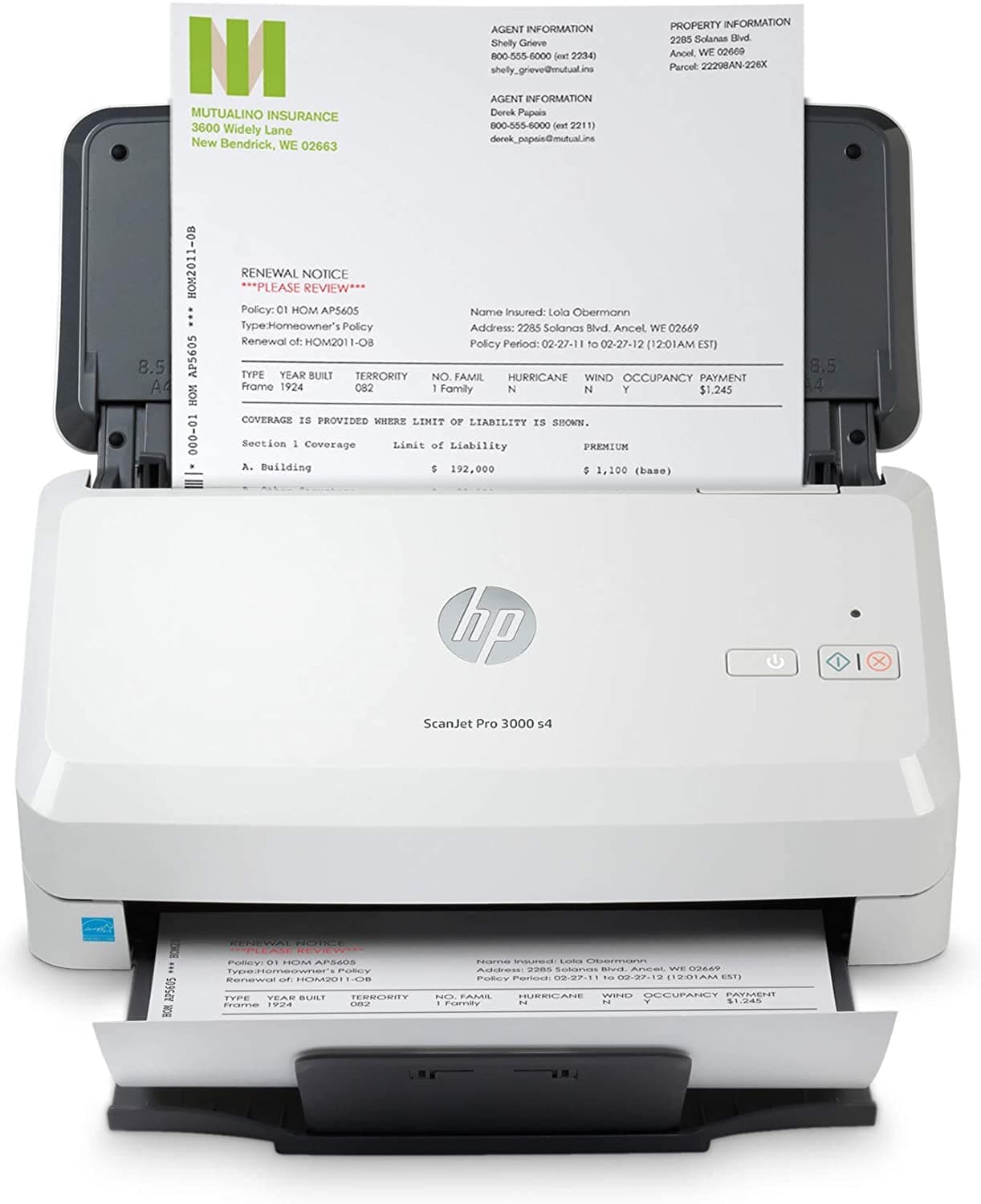
Representative photography — not the exact unit shipped.
HP ScanJet Pro 3000 s4 Sheet-Feed Document Scanner
In stock
Sheetfed document scanner. Scan speed: 40 ppm, 80 images per minute duplex.
Direct answer: is the HP ScanJet Pro 3000 s4 Sheet-Feed Document Scanner right for you?
A dedicated sheetfed scanner exists because an MFP feeder is designed for occasional copying -- this one is rated for 4,000 sheets a day, roughly an order of magnitude beyond what a printer feeder tolerates.
HP ScanJet Pro 3000 s4 Sheet-Feed Document Scanner
Editorial verdict
Grounded in published specifications
Summary verdict: A dedicated sheetfed scanner exists because an MFP feeder is designed for occasional copying -- this one is rated for 4,000 sheets a day, roughly an order of magnitude beyond what a printer feeder tolerates. Single-pass duplex means both sides are captured in one pass rather than by reversing the sheet, which is why 40 ppm becomes 80 images per minute rather than staying at 40. It has no flatbed, so bound documents, passports and anything not a loose sheet cannot be scanned on it at all.
Who should buy this
Offices digitising records in bulk, where feeder reliability decides the throughput.
Who should avoid this
Anyone scanning books, passports or fragile originals, which need a flatbed.
Key strengths
- Rated 4,000 sheets a day, far beyond an MFP feeder
- Single-pass duplex captures 80 images per minute
- Ultrasonic double-feed detection catches stuck pages
Limitations
- No flatbed -- loose sheets only
- Costs more than several of the printers in this department
- Roller and separation pad are consumables on a duty cycle
Technical specifications
- Type
- Sheetfed document scanner
- Brand
- HP
- Duplex
- Single pass, both sides in one pass
- Warranty
- 1-year limited hardware warranty
- Model SKU
- 6FW10A
- Scan speed
- 40 ppm, 80 images per minute duplex
- Rated power
- About 20 W scanning
- Connectivity
- USB 3.0
- Feeder capacity
- 50 sheets
- Consumable parts
- Roller replacement kit rated about 100,000 sheets
- Daily duty cycle
- Up to 4,000 sheets a day
- Optical resolution
- 600 dpi
- Double feed detection
- Ultrasonic
Last updated
Product overview
A dedicated sheetfed scanner exists because an MFP feeder is designed for occasional copying -- this one is rated for 4,000 sheets a day, roughly an order of magnitude beyond what a printer feeder tolerates. Single-pass duplex means both sides are captured in one pass rather than by reversing the sheet, which is why 40 ppm becomes 80 images per minute rather than staying at 40. It has no flatbed, so bound documents, passports and anything not a loose sheet cannot be scanned on it at all.
Key capabilities
- Scan speed: 40 ppm, 80 images per minute duplex
- Daily duty cycle: Up to 4,000 sheets a day
- Feeder capacity: 50 sheets
- Optical resolution: 600 dpi
Frequently asked questions
Is the HP ScanJet Pro 3000 s4 Sheet-Feed Document Scanner worth buying?
A dedicated sheetfed scanner exists because an MFP feeder is designed for occasional copying -- this one is rated for 4,000 sheets a day, roughly an order of magnitude beyond what a printer feeder tolerates.
What is the warranty and return policy for the HP ScanJet Pro 3000 s4 Sheet-Feed Document Scanner?
1-year limited hardware warranty. Returns: 90-day returns on unused items.
Who is the HP ScanJet Pro 3000 s4 Sheet-Feed Document Scanner best suited for?
Offices digitising records in bulk, where feeder reliability decides the throughput.
Who should avoid the HP ScanJet Pro 3000 s4 Sheet-Feed Document Scanner?
Anyone scanning books, passports or fragile originals, which need a flatbed.
Sample reviews
5 reviewsThese are illustrative, not customer reviews.
DealSurge has not sold this product, so nobody has reviewed it. Each entry below is written from the strengths and drawbacks recorded on this page, to show how reviews would appear — none of it is a real buyer’s experience, and none of it is counted in search results or given to the shopping assistant.
Mean of 5 samples
- 5 ★2
- 4 ★2
- 3 ★0
- 2 ★1
- 1 ★0
- 4 out of 5 stars, in a sample review of HP ScanJet Pro 3000 s4 Sheet-Feed Document Scanner
Good, with one thing to plan for
Rated 4,000 sheets a day, far beyond an MFP feeder. The one thing to know before ordering: No flatbed — loose sheets only. To be fair that is written on the product page. I skimmed past it and had to rearrange things afterwards.
Shalini D.Sample4 found this helpful - 4 out of 5 stars, in a sample review of HP ScanJet Pro 3000 s4 Sheet-Feed Document Scanner
After a few months
Had this six weeks now, so this is not an unboxing opinion. Single-pass duplex captures 80 images per minute. Still mildly irritated by one thing: No flatbed — loose sheets only. Known trade-off rather than a fault, though, and I would buy it again.
Kiran B.Sample1 found this helpful - 5 out of 5 stars, in a sample review of HP ScanJet Pro 3000 s4 Sheet-Feed Document Scanner
Right product for the right person
The page describes who this is for, and it described me: Offices digitising records in bulk, where feeder reliability decides the throughput. On that basis it has been the right call. Rated 4,000 sheets a day, far beyond an MFP feeder.
Priya P.Sample14 found this helpful - 2 out of 5 stars, in a sample review of HP ScanJet Pro 3000 s4 Sheet-Feed Document Scanner
Wrong product for my situation
Genuinely my own fault. Posting so somebody else does not repeat it. The listing says who should avoid this: Anyone scanning books, passports or fragile originals, which need a flatbed. That was my situation and I ordered anyway. It does what it says on the page — it just was not the thing I needed.
Rehan V.Sample33 found this helpful - 5 out of 5 stars, in a sample review of HP ScanJet Pro 3000 s4 Sheet-Feed Document Scanner
Listing was accurate, which is rarer than it should be
Rated 4,000 sheets a day, far beyond an MFP feeder. That was the whole reason I picked this over the cheaper options, and it is exactly as described. Also worth mentioning: Single-pass duplex captures 80 images per minute. Nothing has surprised me in about a month.
Meera M.Sample2 found this helpful
Similar products to compare
- HP Color LaserJet Pro MFP 4301fdw Color Laser PrinterColor laser MFP · $549.00
- HP LaserJet Pro MFP 4101fdw Mono Laser PrinterMono laser MFP · $449.00
- Epson EcoTank ET-4850 All-in-One Supertank PrinterInk tank MFP · $399.99
- HP LaserJet Tank MFP 2604sdw Refillable Laser PrinterRefillable mono laser MFP · $379.00
- Epson EcoTank ET-2850 All-in-One Supertank PrinterInk tank MFP · $299.99
- Brother MFC-L2820DW Mono Laser All-in-One PrinterMono laser MFP · $249.99