
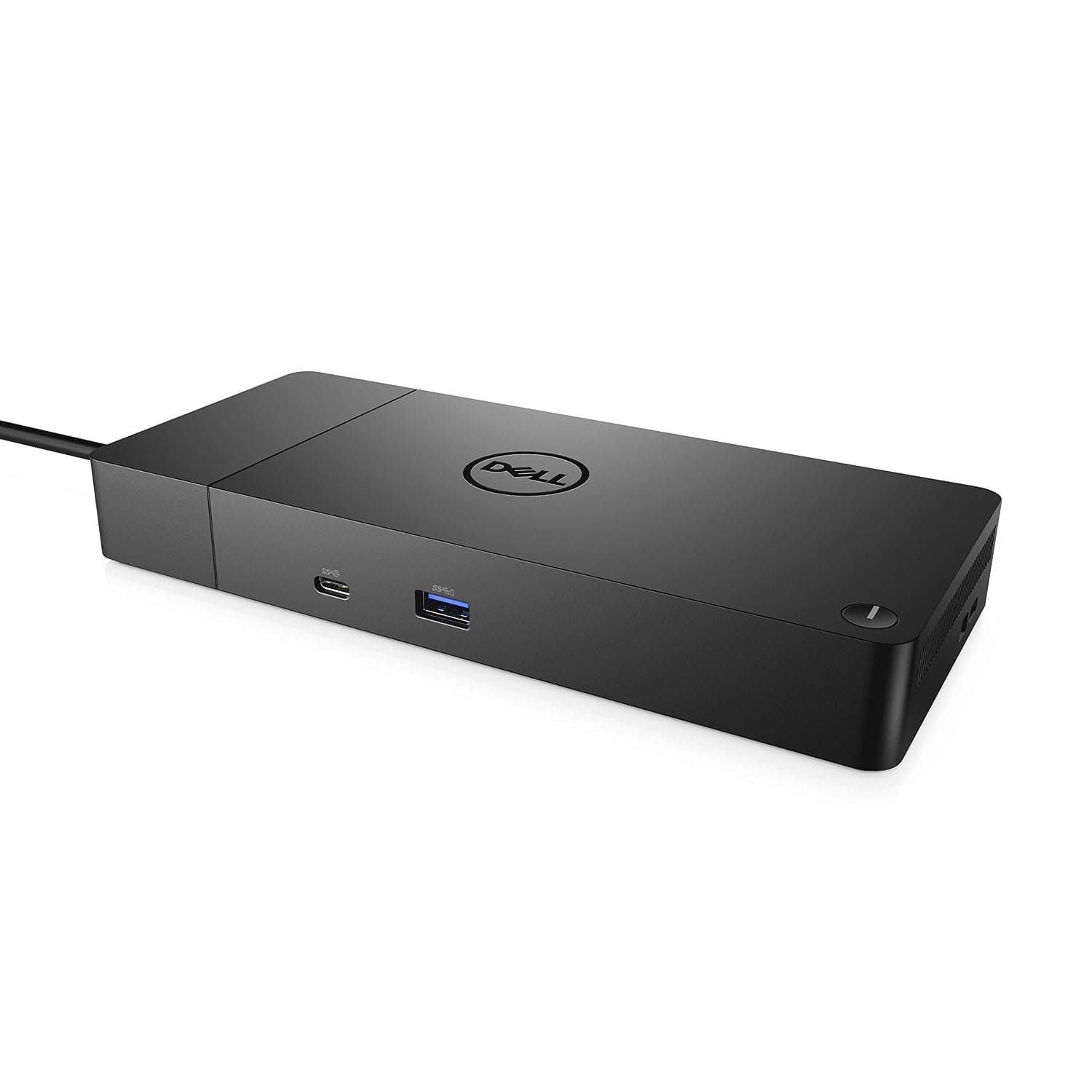
Representative photography — not the exact unit shipped.
Dell WD19S 180W USB-C Docking Station
In stock
Laptop docking station. Host connection: USB-C, DisplayPort Alt Mode.
Direct answer: is the Dell WD19S 180W USB-C Docking Station right for you?
The 180 W in the name is the power supply, not what reaches the laptop -- 130 W goes to the notebook and the rest runs the dock and its ports.
Dell WD19S 180W USB-C Docking Station
Editorial verdict
Grounded in published specifications
Summary verdict: The 180 W in the name is the power supply, not what reaches the laptop -- 130 W goes to the notebook and the rest runs the dock and its ports. It drives up to three displays, but the combination matters: two 4K at 60 Hz is comfortable, three 4K at 60 Hz needs DisplayPort 1.4 with Display Stream Compression at both ends. It is a USB-C dock rather than Thunderbolt, which is why it works with a far wider range of laptops and why the display bandwidth is lower than a Thunderbolt dock at the same price.
Who should buy this
Mixed laptop fleets where one dock has to work with more than one vendor.
Who should avoid this
Thunderbolt-only workflows needing maximum display bandwidth from a single cable.
Key strengths
- 130 W of charging to the notebook, enough for most 15-inch workstations
- Works across vendors rather than only with Dell laptops
- Gigabit Ethernet with MAC address pass-through for imaging
Limitations
- USB-C, not Thunderbolt, so display bandwidth is lower
- Three 4K displays need DSC support on the laptop as well
- The 180 W figure describes the adapter, not the laptop charge rate
Technical specifications
- Type
- Laptop docking station
- Audio
- 3.5 mm combo jack
- Brand
- Dell
- Warranty
- 3-year limited hardware warranty
- Model SKU
- WD19S-180W
- USB ports
- 3 x USB-A 3.1, 2 x USB-C
- Networking
- Gigabit Ethernet with MAC pass-through
- Rated power
- About 180 W adapter
- Power delivery
- 130 W to the notebook from a 180 W adapter
- Display outputs
- 2 x DisplayPort 1.4, 1 x HDMI 2.0b, 1 x USB-C
- Host connection
- USB-C, DisplayPort Alt Mode
- Maximum displays
- Up to 3, subject to laptop support
Last updated
Product overview
The 180 W in the name is the power supply, not what reaches the laptop -- 130 W goes to the notebook and the rest runs the dock and its ports. It drives up to three displays, but the combination matters: two 4K at 60 Hz is comfortable, three 4K at 60 Hz needs DisplayPort 1.4 with Display Stream Compression at both ends. It is a USB-C dock rather than Thunderbolt, which is why it works with a far wider range of laptops and why the display bandwidth is lower than a Thunderbolt dock at the same price.
Key capabilities
- Host connection: USB-C, DisplayPort Alt Mode
- Power delivery: 130 W to the notebook from a 180 W adapter
- Display outputs: 2 x DisplayPort 1.4, 1 x HDMI 2.0b, 1 x USB-C
- Maximum displays: Up to 3, subject to laptop support
Frequently asked questions
Is the Dell WD19S 180W USB-C Docking Station worth buying?
The 180 W in the name is the power supply, not what reaches the laptop -- 130 W goes to the notebook and the rest runs the dock and its ports.
What is the warranty and return policy for the Dell WD19S 180W USB-C Docking Station?
3-year limited hardware warranty. Returns: 90-day returns on unused items.
Who is the Dell WD19S 180W USB-C Docking Station best suited for?
Mixed laptop fleets where one dock has to work with more than one vendor.
Who should avoid the Dell WD19S 180W USB-C Docking Station?
Thunderbolt-only workflows needing maximum display bandwidth from a single cable.
Sample reviews
5 reviewsThese are illustrative, not customer reviews.
DealSurge has not sold this product, so nobody has reviewed it. Each entry below is written from the strengths and drawbacks recorded on this page, to show how reviews would appear — none of it is a real buyer’s experience, and none of it is counted in search results or given to the shopping assistant.
Mean of 5 samples
- 5 ★2
- 4 ★2
- 3 ★0
- 2 ★1
- 1 ★0
- 5 out of 5 stars, in a sample review of Dell WD19S 180W USB-C Docking Station
No notes
130 W of charging to the notebook, enough for most 15-inch workstations. That was the whole reason I picked this over the cheaper options, and it is exactly as described. Also worth mentioning: Works across vendors rather than only with Dell laptops. Nothing has surprised me in two months.
Swati I.Sample4 found this helpful - 4 out of 5 stars, in a sample review of Dell WD19S 180W USB-C Docking Station
Happy with it, but go in informed
130 W of charging to the notebook, enough for most 15-inch workstations. The one thing to know before ordering: USB-C, not Thunderbolt, so display bandwidth is lower. To be fair that is written on the product page. I skimmed past it and had to rearrange things afterwards.
Suresh L.Sample6 found this helpful - 4 out of 5 stars, in a sample review of Dell WD19S 180W USB-C Docking Station
Posting after real use, not unboxing
Had this a full season now, so this is not an unboxing opinion. Works across vendors rather than only with Dell laptops. Still mildly irritated by one thing: USB-C, not Thunderbolt, so display bandwidth is lower. Known trade-off rather than a fault, though, and I would buy it again.
Vidya D.Sample11 found this helpful - 5 out of 5 stars, in a sample review of Dell WD19S 180W USB-C Docking Station
Specs match the listing
I compared four of these on paper before ordering, so the line I actually checked was "Display outputs". The page says 2 x DisplayPort 1.4, 1 x HDMI 2.0b, 1 x USB-C, and that is what turned up. 130 W of charging to the notebook, enough for most 15-inch workstations.
Amrita K.Sample11 found this helpful - 2 out of 5 stars, in a sample review of Dell WD19S 180W USB-C Docking Station
Wrong product for my situation
Genuinely my own fault. Posting so somebody else does not repeat it. The listing says who should avoid this: Thunderbolt-only workflows needing maximum display bandwidth from a single cable. That was my situation and I ordered anyway. It does what it says on the page — it just was not the thing I needed.
Naveen S.Sample38 found this helpful
Similar products to compare
- Synology DiskStation DS224+ 2-Bay NAS EnclosureNetwork attached storage · $299.99
- APC Back-UPS Pro 1500VA Battery Backup and Surge ProtectorLine interactive UPS · $229.99
- Tripp Lite SmartRack 12U Wall-Mount Rack EnclosureWall-mount rack enclosure · $349.00
- Ubiquiti UniFi Switch Lite 16 PoEManaged PoE switch · $199.00
- Seagate IronWolf 8TB NAS Hard DriveNAS hard drive · $189.99
- TP-Link Omada EAP670 AX5400 Ceiling Access PointWi-Fi 6 access point · $149.99